Pending Requests
The Pending Requests page is where administrators review and act on access requests that are awaiting approval, and keep an eye on active assignments. It has two tabs: Pending Requests for requests awaiting your decision, and Assignments for upcoming expirations and recent removals. A badge in the header shows how many requests are pending.
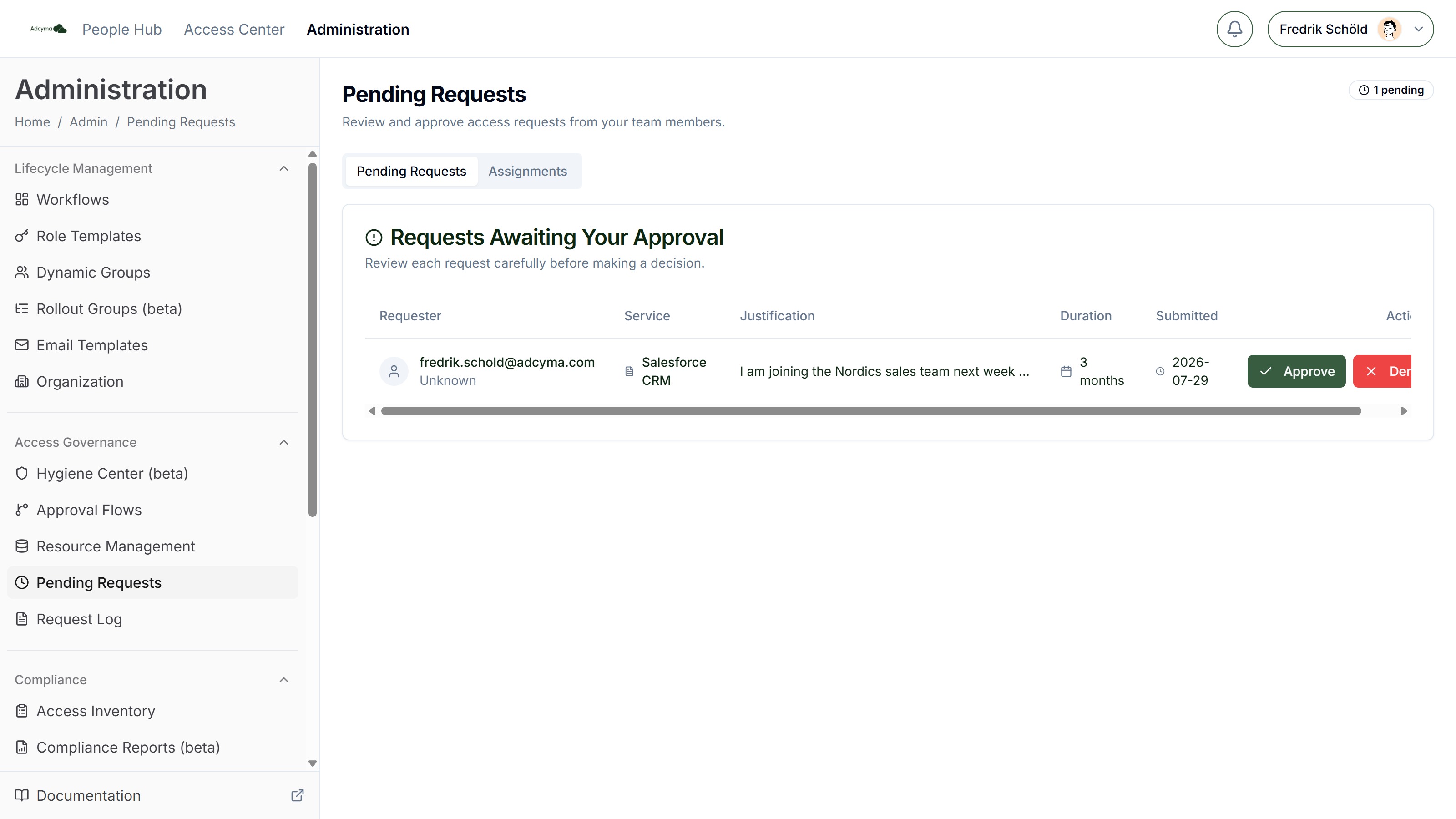
Pending Requests Tab
Each pending request displays:
- The user who submitted the request (Requester)
- The service or resource they're requesting access to
- Their written justification
- The requested duration
- When the request was submitted
Approving a Request
When you approve a request, you can add optional comments and override the access duration. The following options are available:
| Duration | Description |
|---|---|
| Requested | Keep the duration the user originally requested |
| 7 days | Short-term access for temporary needs |
| 30 days | Standard monthly access |
| 3 months | Quarterly access period |
| 6 months | Half-year access |
| 1 year | Annual access |
| Permanent | No expiration (subject to the resource's maximum duration) |
| Custom | Specify an exact duration |
The dialog shows an expiry preview so you can see the exact end date before confirming.
The duration you select cannot exceed the maximum duration configured on the resource.
Denying a Request
When denying a request, a reason is required. This helps the requester understand what went wrong and whether they should resubmit with different information. Comments are recorded in the Request Log.
Assignments Tab
The Assignments tab tracks the results of approved requests:
Upcoming expirations Access assignments expiring within the next 60 days, with the user, resource, group, grant date, and expiry date. This gives you advance notice to reach out to users who may need to renew, or to prepare for access removals that could affect active projects.
Completed removals Access assignments that were removed in the last 60 days (expired automatically or revoked), with the user, resource, group, grant date, and removal date. This gives you a record of recent access cleanup activity.
Best Practices
- Process pending requests promptly. Delays in approval can block users from doing their work.
- Read justifications carefully. They're the primary input for making an informed approval decision.
- Use the shortest appropriate duration when approving. It's easier for a user to request a renewal than to clean up overly broad access.
- Add comments when denying requests. A clear explanation reduces back-and-forth and helps users submit better requests in the future.
- Check the Assignments tab weekly to stay ahead of upcoming expirations.
Troubleshooting
If you don't see requests you expect:
- Verify you're listed as an approver in the relevant approval flow
- Check that the request hasn't already been acted on by another approver (for "one of these" flows)
If approved access isn't being provisioned:
- Check the Request Log for provisioning errors
- Verify the target group is accessible to Adcyma
If you can't approve or deny a request:
- The request may be waiting for a previous approver in an ordered workflow
- Check if the request has been cancelled by the requester